
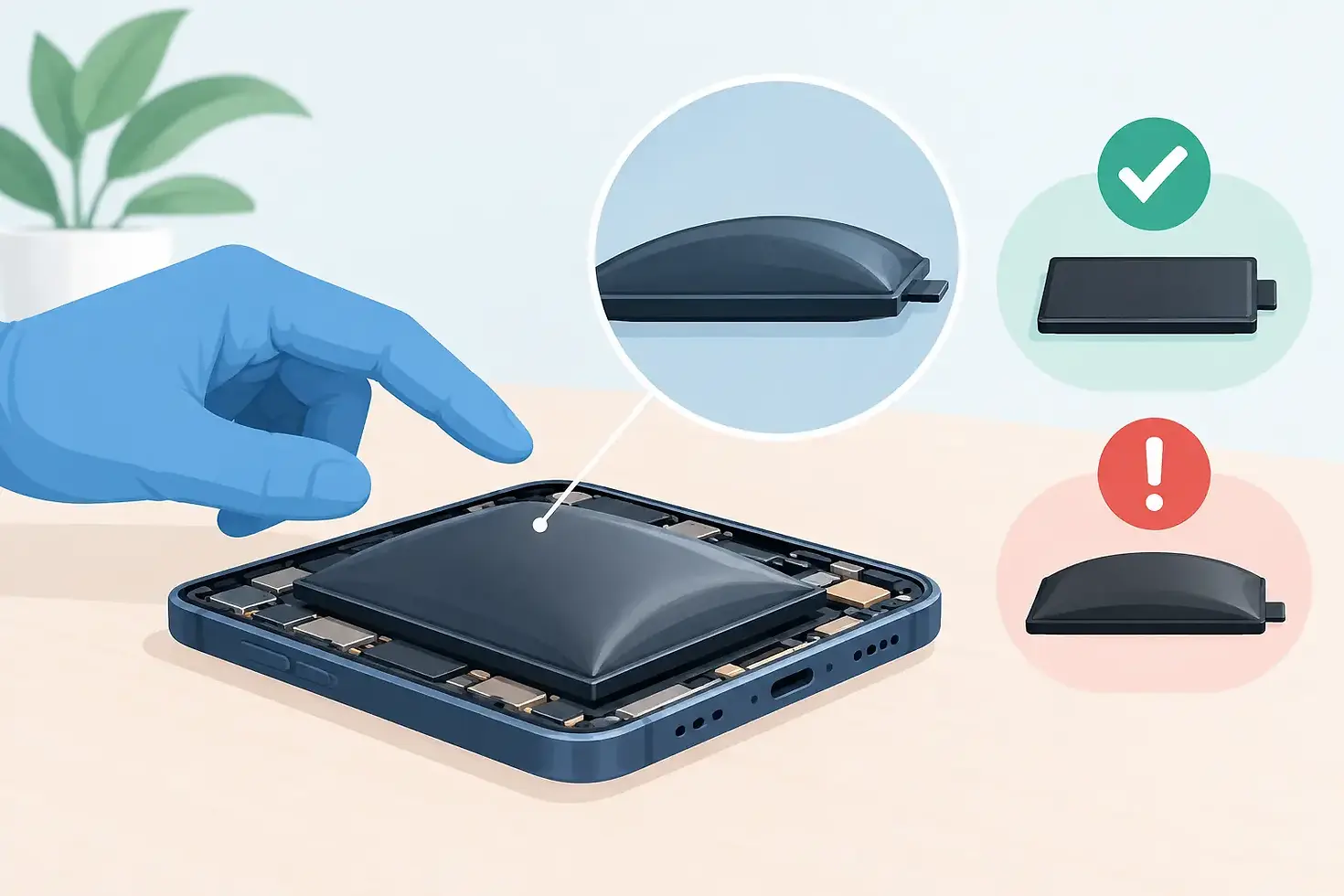
How to Recognise a Swollen Battery Safely
A screen lifting away from your mobile, a laptop trackpad that suddenly feels tight, or a tablet case that no longer sits flat are not faults to ignore. Knowing how to recognise a swollen battery can prevent further device damage and reduce a genuine safety risk at home, work or school.
Lithium-ion batteries power nearly every modern phone, tablet, smartwatch and laptop. They are reliable when working properly, but they can expand when their internal chemistry breaks down. A swollen battery needs professional attention, not a quick home fix.
How to recognise a swollen battery
The clearest sign is physical change. Batteries are designed to sit flat inside a tightly fitted device, so even a small amount of swelling can push on surrounding parts. On a phone, this often appears as a screen that is lifting at the edge, a back cover separating from the frame, or a gap that was not there before. You may notice the device rocking slightly when placed on a flat table.
On a laptop, swelling often shows up around the keyboard, palm rest or trackpad. The trackpad may become difficult to click, feel raised, or stop responding because the battery underneath is pressing against it. The bottom case may bulge, fail to clip back into place, or sit unevenly on a desk.
For tablets and smartwatches, look for a display that has started to separate from the body, an unusually curved casing, or adhesive that appears to have let go without a drop or impact. Do not press the screen back down. Pressure can damage the battery further.
Other warning signs can support what you see, although they do not prove swelling by themselves. These include unusually fast battery drain, random shutdowns, overheating while charging or during light use, a chemical or sweet smell, and a device that takes longer than normal to charge. If these symptoms occur with visible bulging or separation, treat the battery as urgent.
Swelling can be subtle at first
Not every swollen battery creates an obvious lump. A phone case may suddenly fit tightly, buttons can feel misaligned, or a screen protector may begin lifting at one edge because the display is being pushed upwards from inside. Compare the device with how it normally sits in your hand or on a flat surface.
If the device has been in a protective case, take the case off only if it slides away easily. Do not force it. A tight case can hide the early signs of expansion, but pulling hard on a distorted device can place pressure on the battery.
Why batteries swell
A battery swells when gases build up inside its sealed pouch or cell. This can happen as batteries age, but age is only one factor. Repeated heat exposure, charging problems, physical damage, liquid damage and poor-quality replacement parts can all contribute.
Leaving a device in a hot car, using it heavily while charging, or regularly running it until it shuts down can place extra stress on a battery over time. So can an incompatible or damaged charging cable, adaptor or port. A battery can also swell after a hard drop, even if the screen looks fine, because the impact may damage internal components.
Sometimes swelling happens without any clear warning or misuse. That is why a device that is bulging should be assessed based on its current condition rather than blamed on one particular habit. The immediate job is to make it safe.
What to do if your battery is swollen
Stop charging and stop using the device. If it is currently charging, switch off the power at the wall first, then unplug the cable from the device if you can do so without touching a hot or damaged area. Do not keep charging it to back up photos or make it last until the weekend.
If the device is cool and responding normally, power it off. If it is hot, making noises, leaking, smoking or looks seriously distorted, do not handle it more than necessary. Move people and pets away from the area. If there is smoke, fire or an immediate risk, call 000.
If it is safe to move, place the device on a non-flammable surface such as concrete, tiles or a metal tray, away from paper, bedding, curtains and other combustible materials. Keep it out of direct sun and away from heat. Do not leave it in a car, even temporarily.
Bring it to a qualified repair technician as soon as possible for a battery assessment and replacement. A technician can open the device safely, check whether the swollen battery has damaged the screen, frame, charging components or trackpad, and fit a suitable replacement part.
What not to do
A swollen battery is not a DIY repair. Avoid the common shortcuts that can make a manageable issue dangerous:
Do not puncture, bend, crush or squeeze the battery or device.
Do not try to flatten the battery, glue a lifting screen back down, or clamp the case shut.
Do not put the device in the freezer, water or sand.
Do not throw it in household rubbish or a normal recycling bin.
Do not post or courier a device with a known swollen battery unless the carrier has specifically approved the process.
It can be tempting to remove the battery yourself after watching a repair video. The issue is that swollen pouch batteries are under stress and are often strongly adhered inside the device. One slip with a metal tool can puncture the cell and cause a rapid fire.
Can you still use a device with a swollen battery?
No. Even if the phone still turns on, the laptop still holds charge, or the screen has only lifted by a millimetre, continued use increases the chance of damage. Swelling can crack a display from behind, bend the chassis, damage cables and affect the charging system. What begins as a battery replacement can become a screen, housing or trackpad repair if it is left too long.
There is a practical trade-off for anyone relying on their device for work, school or family calls. You may be worried about access to files, authentication apps or photos. But using or charging a visibly swollen device to get through the day is not worth the risk. A repair technician may be able to discuss safe data options after inspecting the device, but safety comes first.
Is a swollen battery always an emergency?
A device with mild swelling that is cool, switched off and stored away from combustible materials may not require an emergency response. It does require prompt professional handling. Do not wait for the next time the battery dies or the screen becomes fully detached.
Treat it as more urgent if the device is hot while idle, expands quickly, gives off an unusual smell, hisses, leaks, smokes or has been badly damaged. In those situations, keep your distance where possible and seek emergency help if there is any sign of fire.
Getting a swollen battery replaced
Battery replacement is usually the right fix when a swollen battery is caught early. The technician should inspect the device before quoting, because the battery may have pushed against other parts. On a phone, that can mean checking the display and frame. On a laptop, it can mean checking the trackpad, keyboard and bottom cover.
Ask whether the quote includes parts and labour, whether the replacement battery is quality tested, and what warranty applies to the repair. A clear answer helps you compare more than just the lowest price. The wrong battery or poor installation can lead to charging faults, reduced battery life or repeat swelling.
For Sydney customers, Gadget Xperts can assess swollen phones, tablets, laptops and MacBooks at its Bankstown, Blacktown and Winston Hills stores. Many battery jobs can be completed the same day, depending on the device model, battery availability and whether swelling has caused extra damage.
A lifting screen or raised trackpad is your device asking for attention. Switch it off, keep it away from heat and flammable materials, and have it checked before a small battery problem turns into a bigger repair.


Comments